---
title: "4. Getting your entity verified (KYC)"
url: "https://ankorpay.productfruits.help/en/article/4-get-the-entity-verified-start-moving-funds"
language: "en"
last_updated: "2026-09-22T10:02:16.622Z"
---
# 4. Getting your entity verified (KYC)
Getting Your Vessel Verified So You Can Start Using Funds
## Complete the KYC to start moving funds
Before you can move money, issue crew/spender cards, or track expenses for your vessel, you need to open a **financial account** for it (we call it WALLET). To do that, Airwallex needs to verify the company that owns the yacht — this is a standard check called **KYC** ("Know Your Customer"), the same kind of check any bank does when you open an account.
Ankor runs on Airwallex, a major global fintech, so this process follows their standard KYC rules.
### [See the video here](https://ankorsoftware-my.sharepoint.com/:v:/g/personal/francisco_ankor_io/IQClvA1RLEpCQ7xQ9EIrlebbAekMAX9pNXUfT_Pp6tdq3OU?nav=eyJyZWZlcnJhbEluZm8iOnsicmVmZXJyYWxBcHAiOiJPbmVEcml2ZUZvckJ1c2luZXNzIiwicmVmZXJyYWxBcHBQbGF0Zm9ybSI6IldlYiIsInJlZmVycmFsTW9kZSI6InZpZXciLCJyZWZlcnJhbFZpZXciOiJNeUZpbGVzTGlua0NvcHkifX0&e=xA5xCM) on how to complete your KYC
[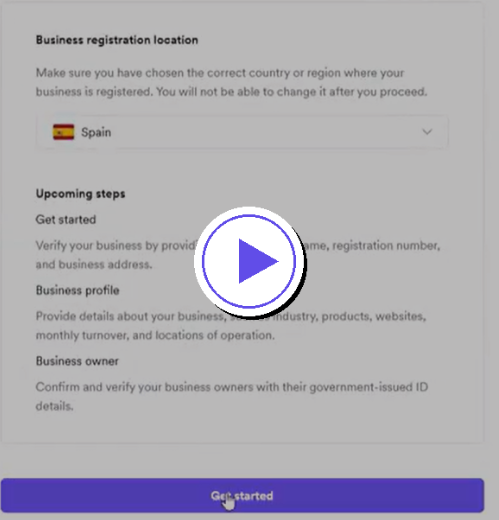](https://ankorsoftware-my.sharepoint.com/:v:/g/personal/francisco_ankor_io/IQDXHqKNmZDIToP_8T-Q6krwAYODVuw4VwnH2B0bHylTWpg?nav=eyJyZWZlcnJhbEluZm8iOnsicmVmZXJyYWxBcHAiOiJTdHJlYW1XZWJBcHAiLCJyZWZlcnJhbFZpZXciOiJTaGFyZURpYWxvZy1MaW5rIiwicmVmZXJyYWxBcHBQbGF0Zm9ybSI6IldlYiIsInJlZmVycmFsTW9kZSI6InZpZXcifX0%3D&e=Qmv9G4)
## Before you start, make sure:
- The yacht-owning company is **officially registered and active** (not dissolved, not in bad standing)
- It's registered in a **country we support**
- It's **not on any sanctions list**, and isn't a shell company or bearer-share entity
- If you're submitting the documents but you're *not* the yacht owner yourself, you'll need a letter confirming you're authorized to act on their behalf
## Documents you'll need
| Document | Why we need it |
| --- | --- |
| **Certificate of Incorporation**
(or Chamber of Commerce extract) | Proves the company is legally registered |
| **Articles of Association**
(or company constitution) | Shows the company's structure and rules |
| **Authorisation letter**
*only if you're applying on someone else's behalf* | Confirms you're allowed to submit for them |
| **Ownership/beneficial ownership info** | Identifies who ultimately owns the company (if not already clear from official docs — we'll give you a simple form to fill out if needed) |
| **Liveness check- Personal IDs**
for authorized individuals / UBOs | Government-issued photo ID (passport, national ID, or driver's licence) + proof of address dated within the last 3 months is sometimes required |
### 📌 Exact requirements can vary slightly by country
**\-> Check the country-specific list** [**here**](https://ankorpay.productfruits.help/en/article/business-docs-needed-to-complete-kyc).
* * *
### **Confirmation**
Once everything is submitted and verified, your vessel should be live within 24–72 hours, sometimes less if all documentation was correctly uploaded and verified.
If there is any documentation missing, AnkorPay support will let you know so you can go back in the tool to complete the submission.
* * *
**Note:** If you have completed KYC from the OPERATIONS module, you can click on **Activate KYC** on the APA module in order to activate it immediately. It is not necessary to go through KYC separately for both modules. If one of them is verified, you can activate the other one without presenting any more documents.
* * *
**Need Support? Please do not hesitate to reach out to** [**support@ankor.io**](mailto:support@ankor.io)**.**