---
title: "10. Logging a Manual Expense"
url: "https://ankorpay.productfruits.help/en/article/9-logging-a-manual-expense"
language: "en"
last_updated: "2026-05-13T10:00:26.334Z"
---
# 10. Logging a Manual Expense
How to log a manual expense for a charter
### How to Log a Charter Expense Manually
If an expense cannot be made directly using via AnkorPay App or via web platform, it will be recorded manually and associated with a charter so you don't lose track of what is happening.
1. Go to **Charters menu** in the left-side menu or on **Expenses** menu
2. Choose the **Charter** you want to log the expense against.
3. Click on **Log Manual Expense** button.
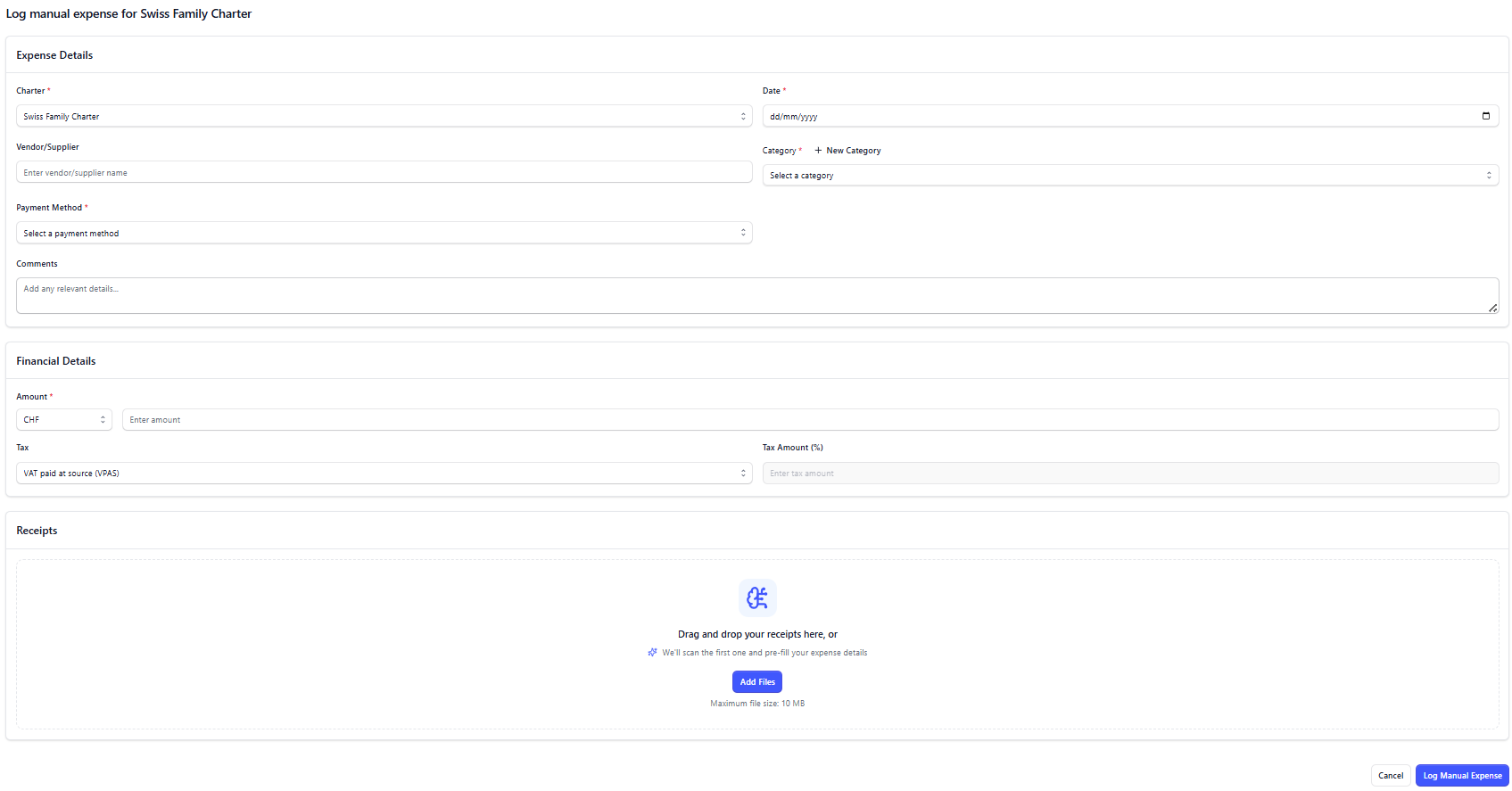
Enter all required information about that Expense including the receipt.
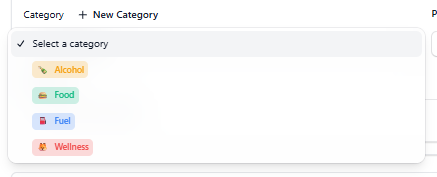
### How to create a Category for an expense
Creating a Category can be very useful in order to better understand how you are spending the APA amount. You can choose a name, a colour and an icon.
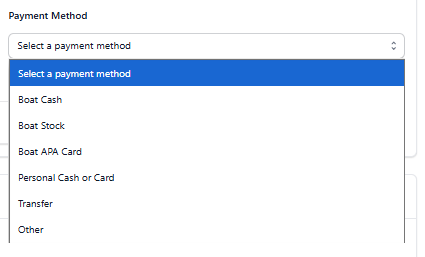
### How to associate to a Payment Method
A Payment Method is how that expense was paid originally. Make sure to choose one (Boat Cash, Boat Stock, Boat APA Card, Personal Cash or Card, Transfer, or Other).
### Payment Methods definition
| **Method** | **Purpose & Usage** |
| --- | --- |
| **AnkorPay Card** | • Centralised and live expense management
• International transactions
• Better exchange rates |
| **Boat Cash** | • Emergency backup when cards fail
• Vendors requiring cash only
• Port fees and local services |
| **Boat Stock** | • Bulk provisioning purchases
• Duty-free alcohol/tobacco
• Fuel in certain locations
• Items for resale to guests |
| **Non AnkorPay Card** | • Different bank/country coverage
• Higher transaction limits
• Currency-specific cards |
| **Personal Crew Card or Cash** | • Emergency purchases
• Mistaken personal use
• Temporary coverage when vessel cards fail |
5\. After all info have been enterred, click **Log Expense** to **save**.
Now that Expense will be lsited under the Charter's Expense Summary.
> **Important:** manual expenses that they created using non-AnkorPay payment methods (personal cash, boat stock, etc), will automatically appear under the menu 'APA owes Ops'. See more about it [here](https://ankorpay.productfruits.help/en/article/apa-owes-operations).
* * *
**Need Help?** Do not hesistate to reach out to our team at [support@ankor.io](mailto:support@ankor.io)