
11. How to Sign Off a Charter
How to sign off and close a charter once it's finished its course
- When a charter is finished, you can go to the Charters section, where you will see all the charters in that vessel.
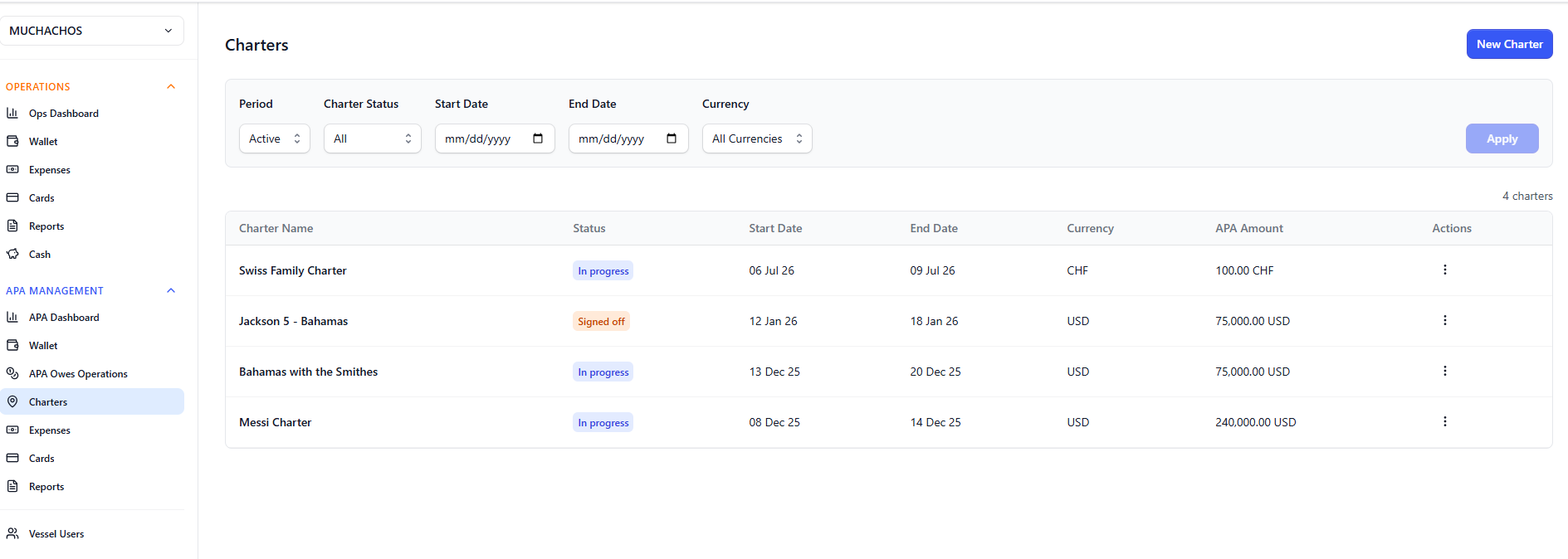
- Click on the one you want to close, go to the Actions menu on the top right corner and click Sign off.
- This will generate a sign off ledger, that includes all expenses for the charter, and you can download it in PDF or even complete it virtually in front of the charterer in your AnkorPay account.
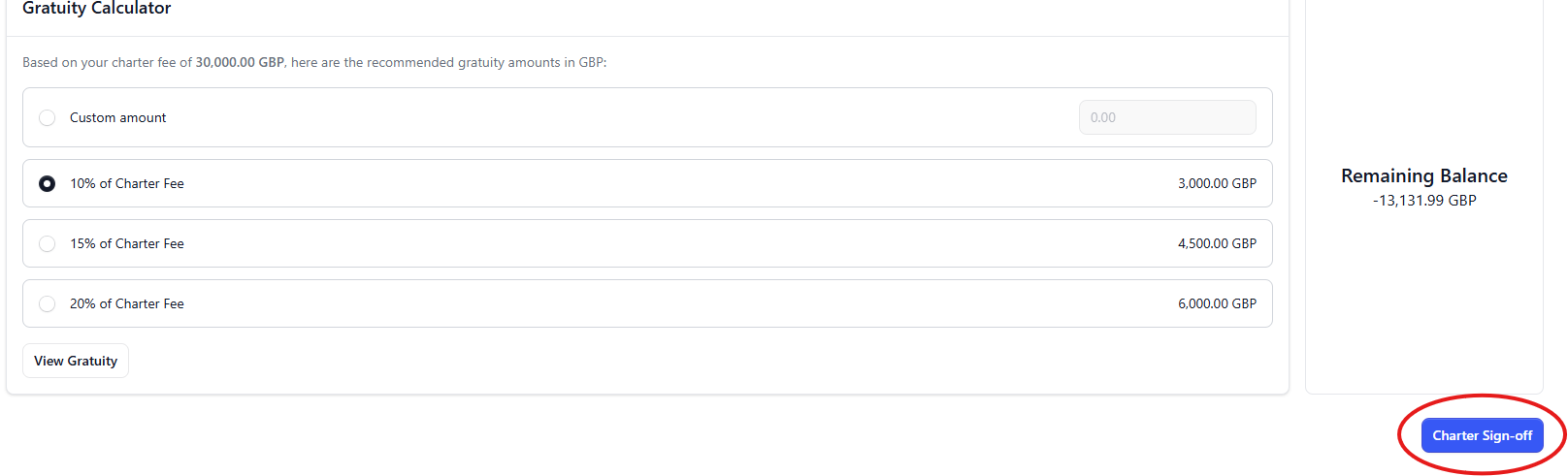
- From this ledger you can also add gratuity from the remaining APA balance, whether it's a percentage of the APA or a custom amount agreed with the charterer.
- It's important to remember that when you do this, you generate the expense for the charter, but no funds are moved from the APA wallet. You still need to make the payment from the Wallet to the beneficiaries you choose (usually the crew).
- Once everything is in order, expenses checked and gratuity added, you can click on the Charter Sign Off button to complete the process.
Need Help? Do not hesistate to reach out to our team at support@ankor.io