
How can I activate my physical card?
Understanding card types
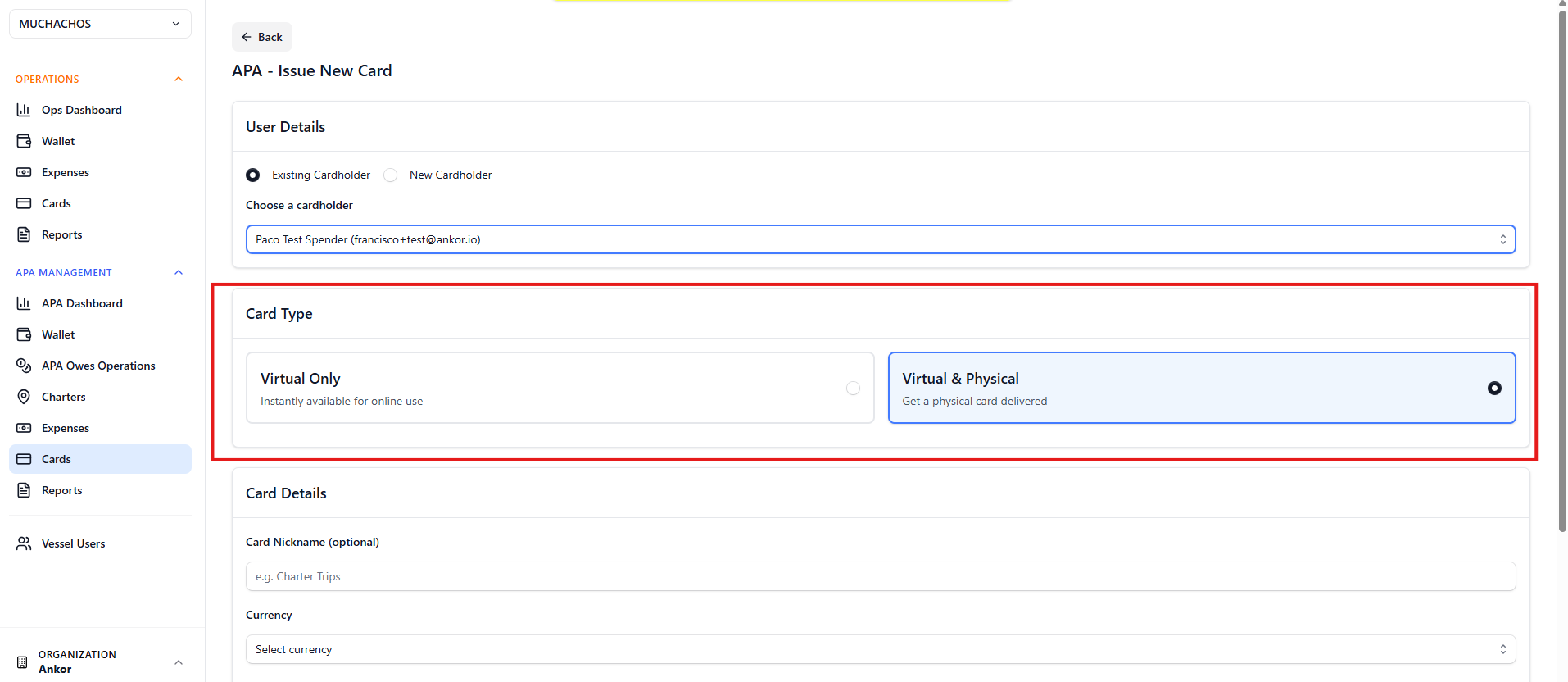
AnkorPay offers two types of cards:
- Virtual – Creates a virtual card that is activated automatically and can be used immediately.
- Virtual and Physical – Creates both a virtual card and a physical card.
If you select Virtual and Physical, the virtual version of the card can be activated immediately, allowing the cardholder to start making purchases right away through the AnkorPay App or by adding the card to their mobile wallet.
Activating a card
Cards can be activated either through the AnkorPay Web platform or the AnkorPay App.
I) Activate a card via AnkorPay Web
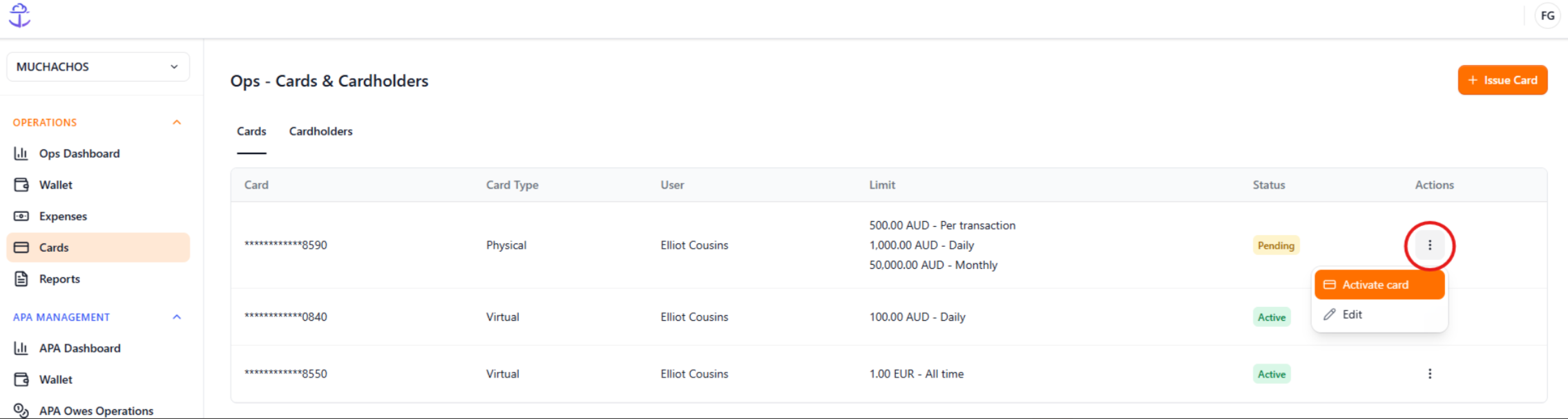
To activate a card through AnkorPay Web:
- Navigate to the Cards menu.
- Find the relevant card.
- Click Actions.
- Select Activate Card.
Note: Administrators can also activate cards on behalf of other cardholders through the web platform.
II) Activate a card via the AnkorPay App
The cardholder can activate a physical card it directly from the AnkorPay App, even prior to the delivery.
You can learn more about downloading and managing the app in this article and the related guides below.
Note: Only the cardholder can activate a card through the mobile app.
To activate your card:
- Log in to the AnkorPay App using your registered email address.
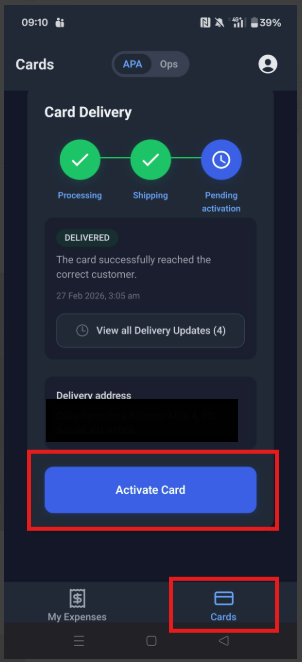
- Tap the Cards section in the bottom-right corner.
- Select APA or Ops at the top of the screen, depending on the module where the card was issued.
- Tap the blue Activate Card button displayed below the delivery address.
- Once activated, the physical card will appear in the app and can also be added to your Google Wallet or Apple Wallet for digital payments.
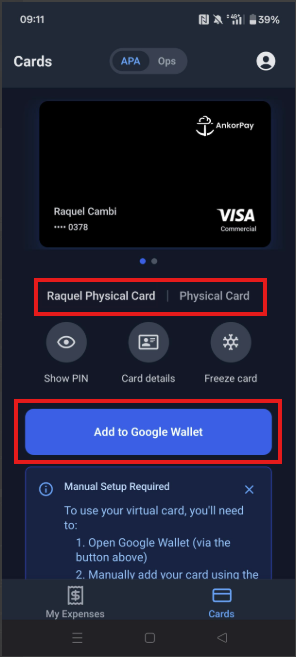
Your card is now active and ready to use!
That's it! You can now start making purchases with your card through your vessel's AnkorPay account.
Before you go, we recommend checking out our FAQ for Spenders in order to learn everything about the spender role and the most common questions about card management and transactions.
Questions? Do not hesitate to reach out to our support team via support@ankor.io, we are more than happy to help!