
Adding AnkorPay Card to my phone Wallet
Once you have downloaded the AnkorPay App:
Step 1: Click on the 'Cards' icon, form the application, is located at the bottom right of the screen.
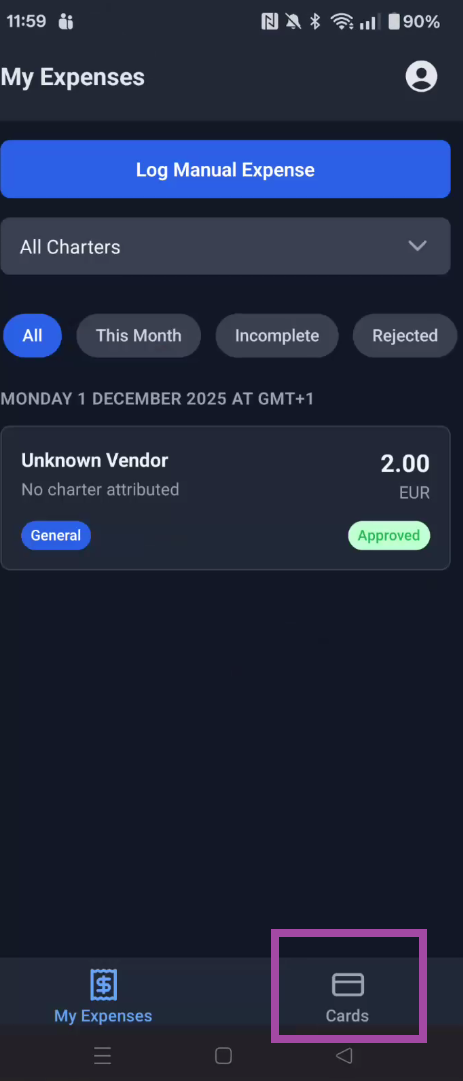
Step 2: Once you see AnkorPay virtual card on the screen, click on 'Add to Wallet'
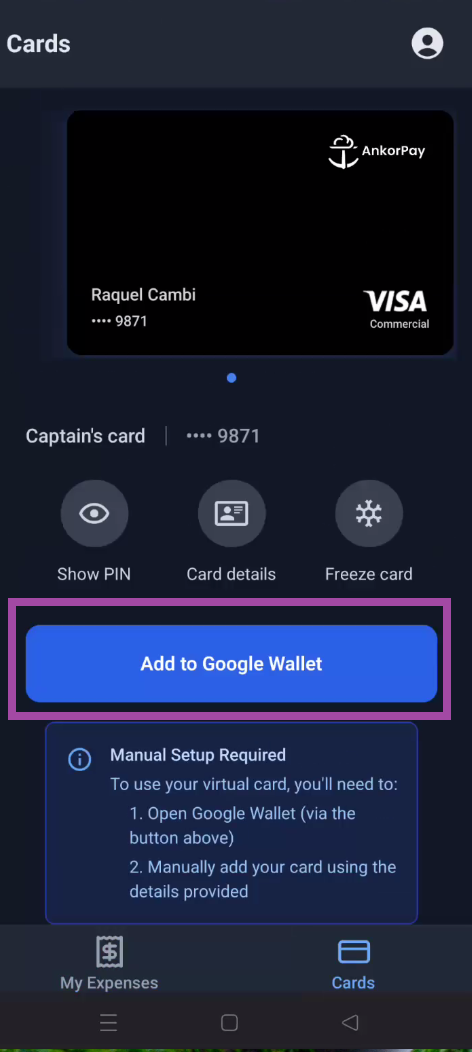
Step 3: You will be directed to your phone's Wallet, where you can add the card directly. If you need the details, remember you can find them on this very screen in AnkorPay under Card Details.
Still Have Questions? If you still have issues or are unable to login, please reach out to support@ankor.io