
10. Logging a Manual Expense
How to Log a Charter Expense Manually
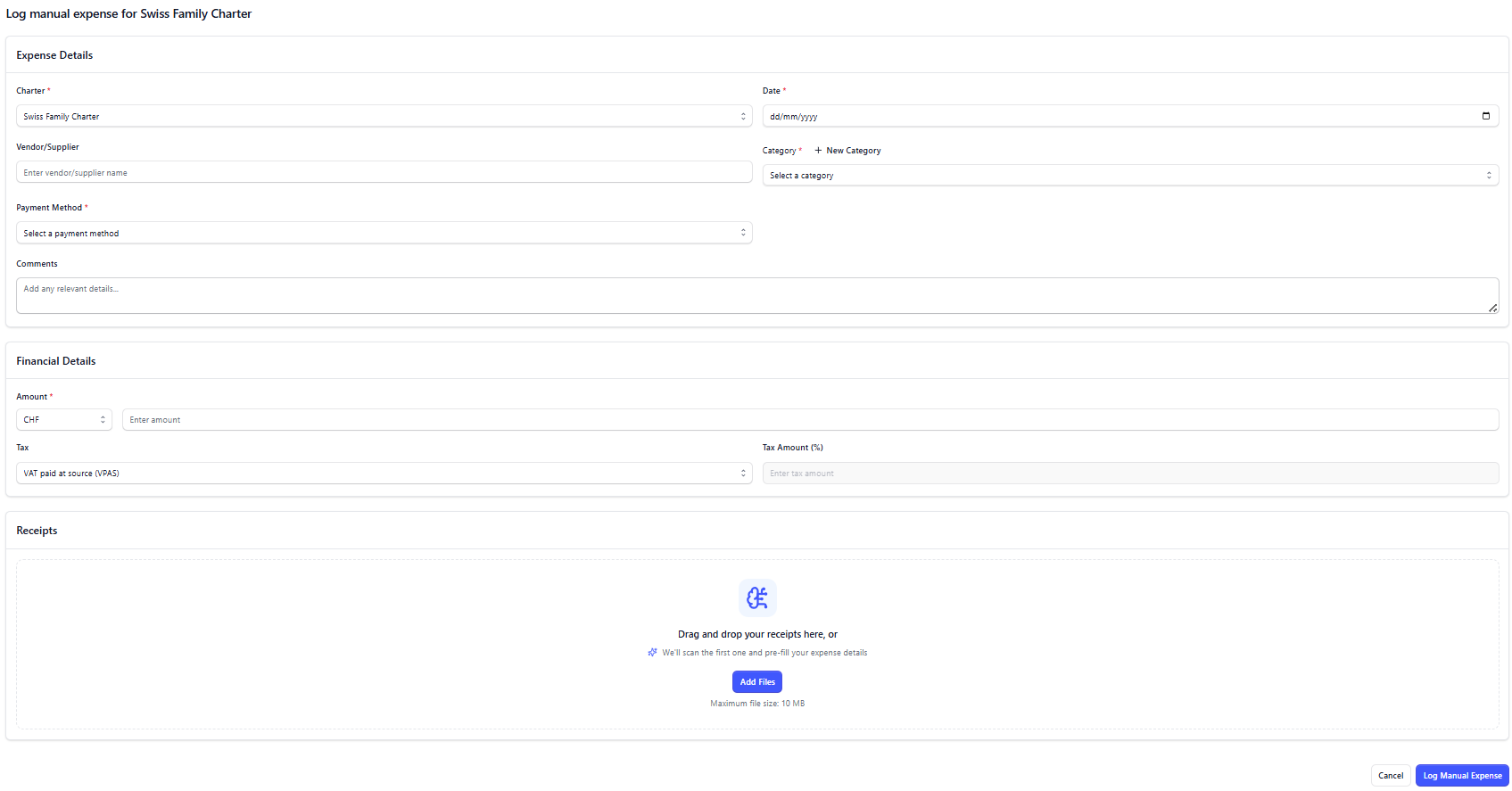
If an expense cannot be made directly using via AnkorPay App or via web platform, it will be recorded manually and associated with a charter so you don't lose track of what is happening.
- Go to Charters menu in the left-side menu or on Expenses menu
- Choose the Charter you want to log the expense against.
- Click on Log Manual Expense button.
How to create a Category for an expense
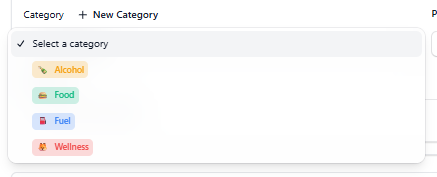
Creating a Category can be very useful in order to better understand how you are spending the APA amount. You can choose a name, a colour and an icon.
How to associate to a Payment Method
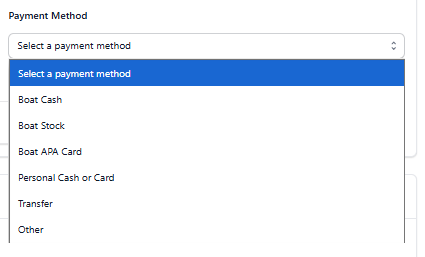
A Payment Method is how that expense was paid originally. Make sure to choose one (Boat Cash, Boat Stock, Boat APA Card, Personal Cash or Card, Transfer, or Other).
Payment Methods definition
Method | Purpose & Usage |
AnkorPay Card | • Centralised and live expense management |
Boat Cash | • Emergency backup when cards fail |
Boat Stock | • Bulk provisioning purchases |
Non AnkorPay Card | • Different bank/country coverage |
Personal Crew Card or Cash | • Emergency purchases |
5. After all info have been enterred, click Log Expense to save.
Now that Expense will be lsited under the Charter's Expense Summary.
Important: manual expenses that they created using non-AnkorPay payment methods (personal cash, boat stock, etc), will automatically appear under the menu 'APA owes Ops'. See more about it here.
Need Help? Do not hesistate to reach out to our team at support@ankor.io