
I can't find the PIN for my AnkorPay card
You can access the PIN number for your card from the AnkorPay app.
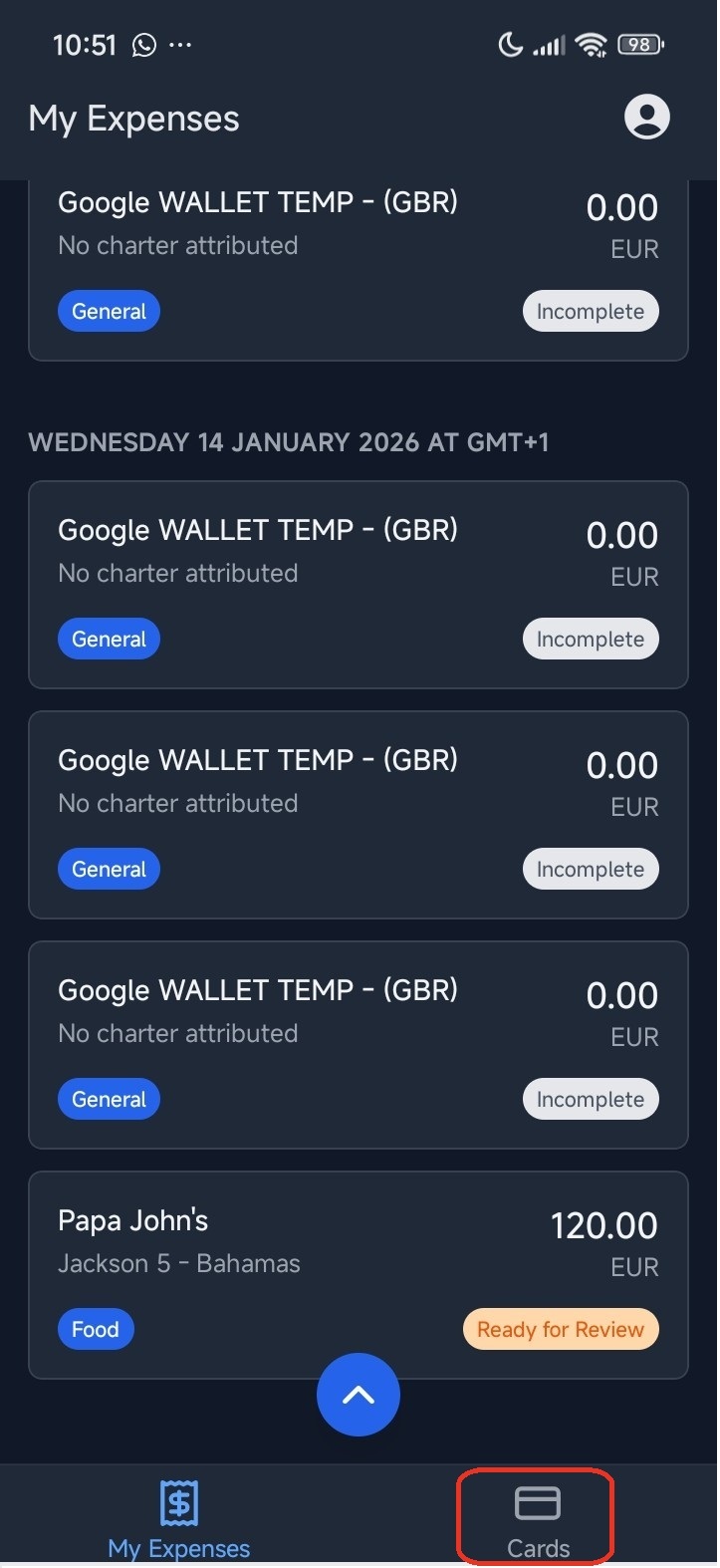
- First, log into the app and from the main menu, click on 'Cards' at the bottom right corner.
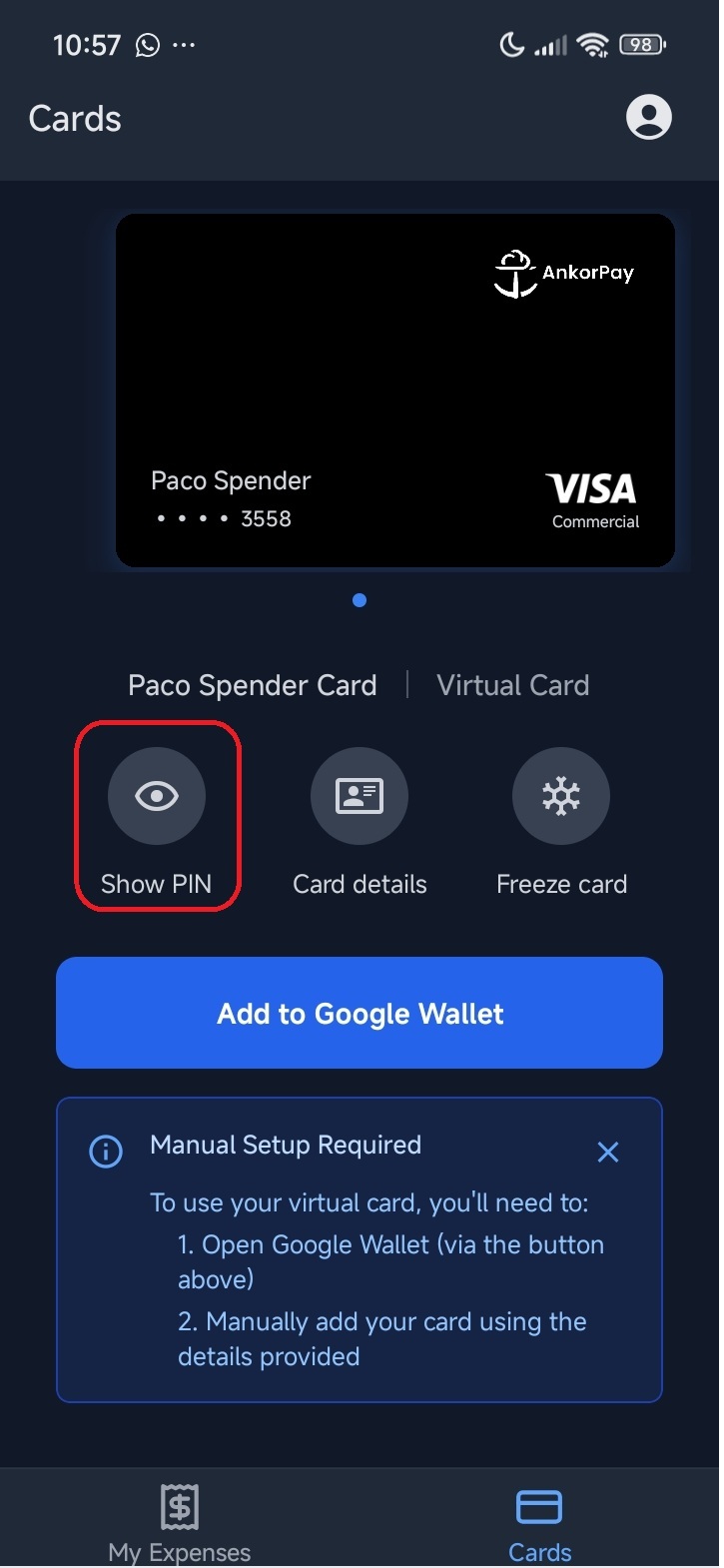
- Then, click on 'Show PIN', the first option under your card.
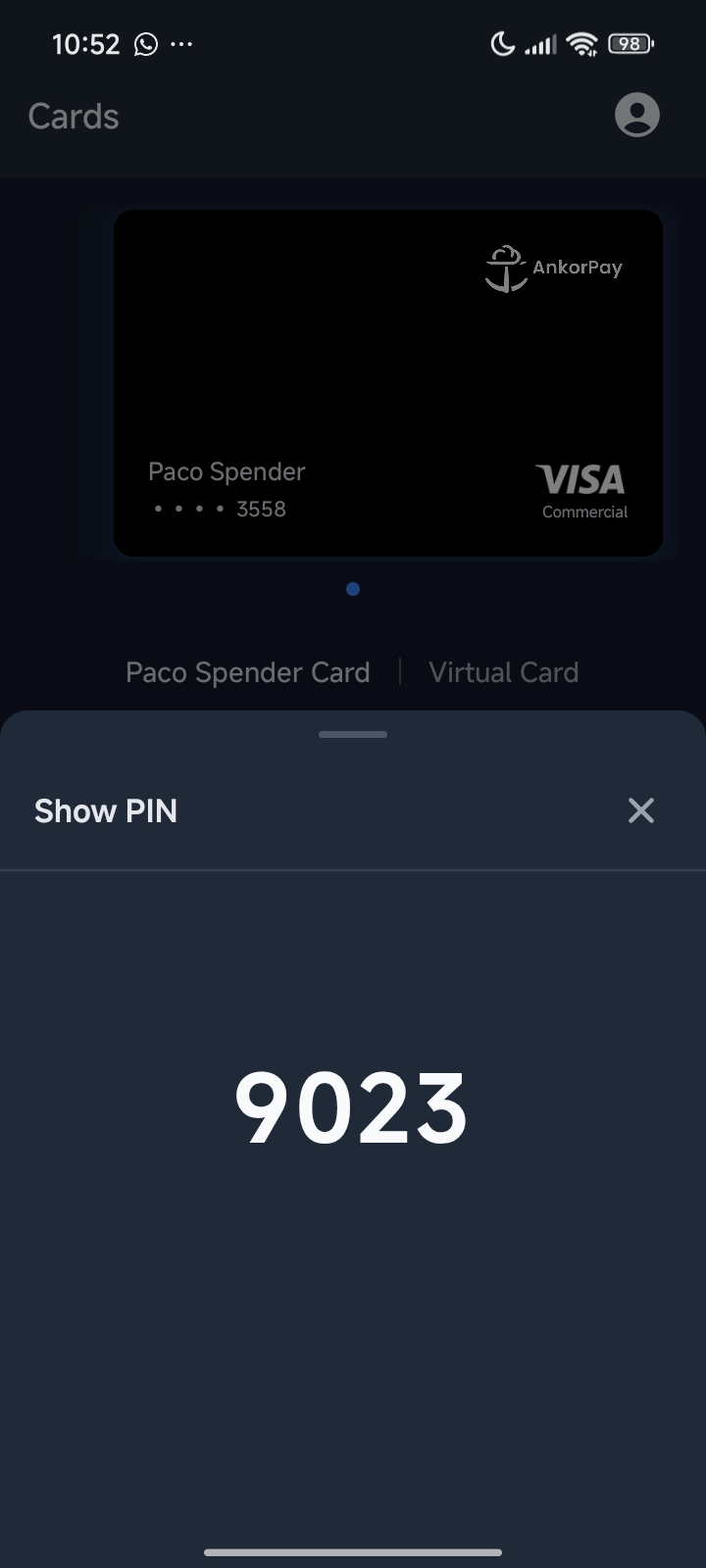
- After verifying your identity with the code you chose to enter AnkorPay, you will be able to see your PIN number
Still Have Questions? If you still have issues or are unable to login, please reach out to support@ankor.io