
Managing expenses in the AnkorPay App
When you open your AnkorPay App, it will take you directly to My Expenses, where you can log the payments you have made for your charter. There are two types of payment that we might want to log: AnkorPay Card Payments and Manual Expenses. Let's have a look into both.
Logging a payment made with your AnkorPay Card
When you make payments with your AnkorPay Card, the transactions will appear automatically on your AnkorPay App main screen, My Expenses. We will need to allocate those payments to an specific charter, add the receipt and complete the information about the payment, which we can easily do from the app.
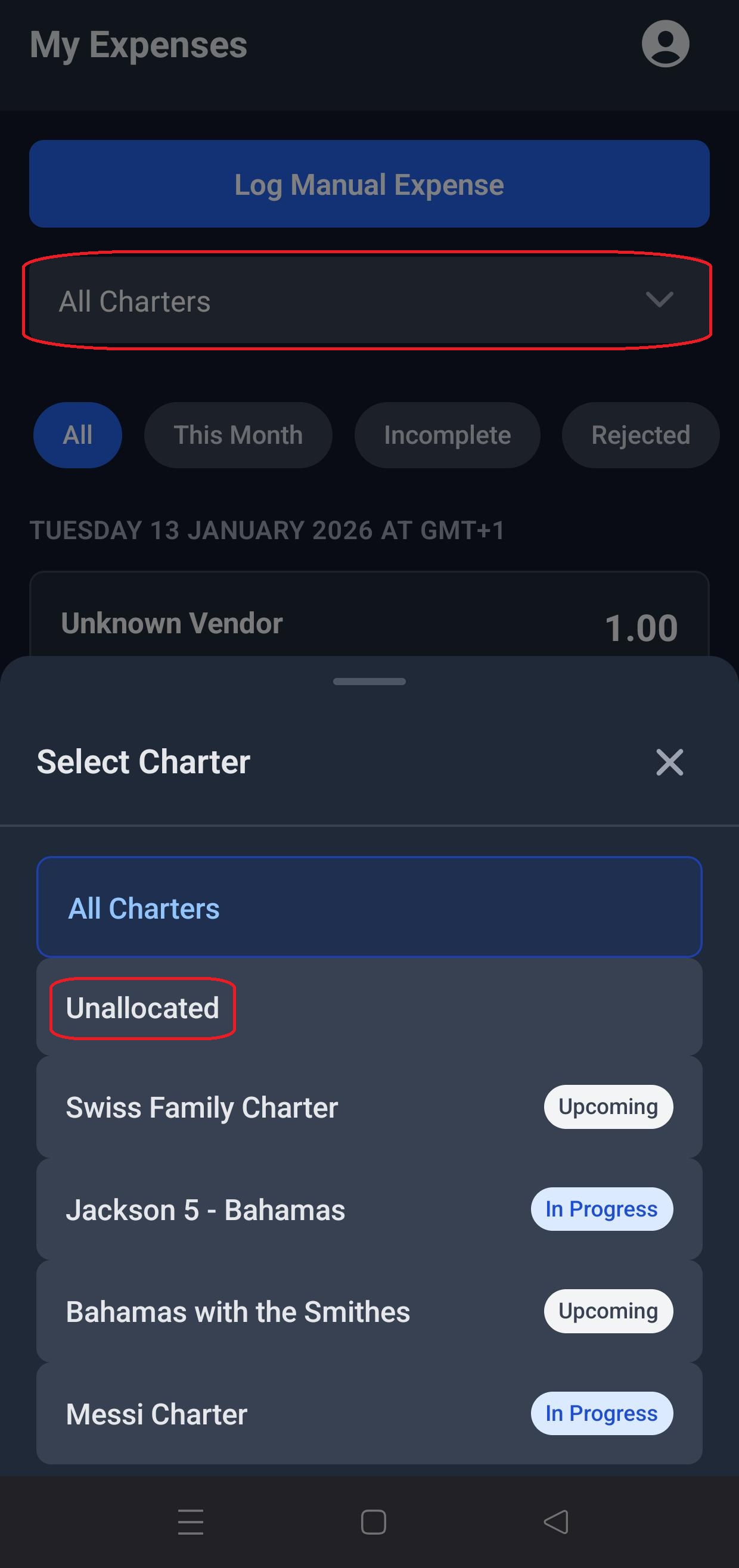
- First, click on the drop down menu to find unallocated payments.
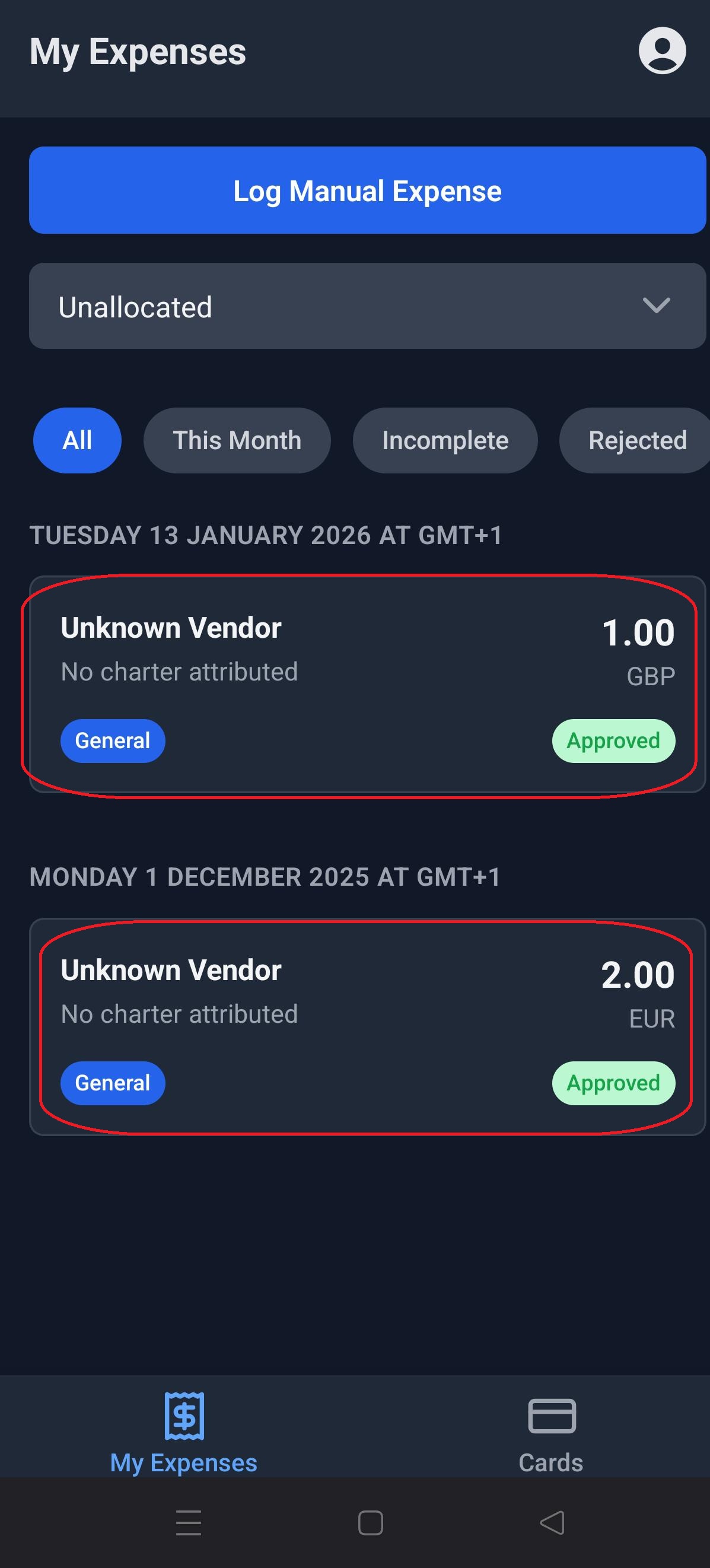
- Then you can select one of the payments. As you can see on this screen, there is some information missing, like vendor and charter.
- When you click on a payment, it will take you to the Expense Details screen for that payment, where you can add all necessary details to the tansaction.
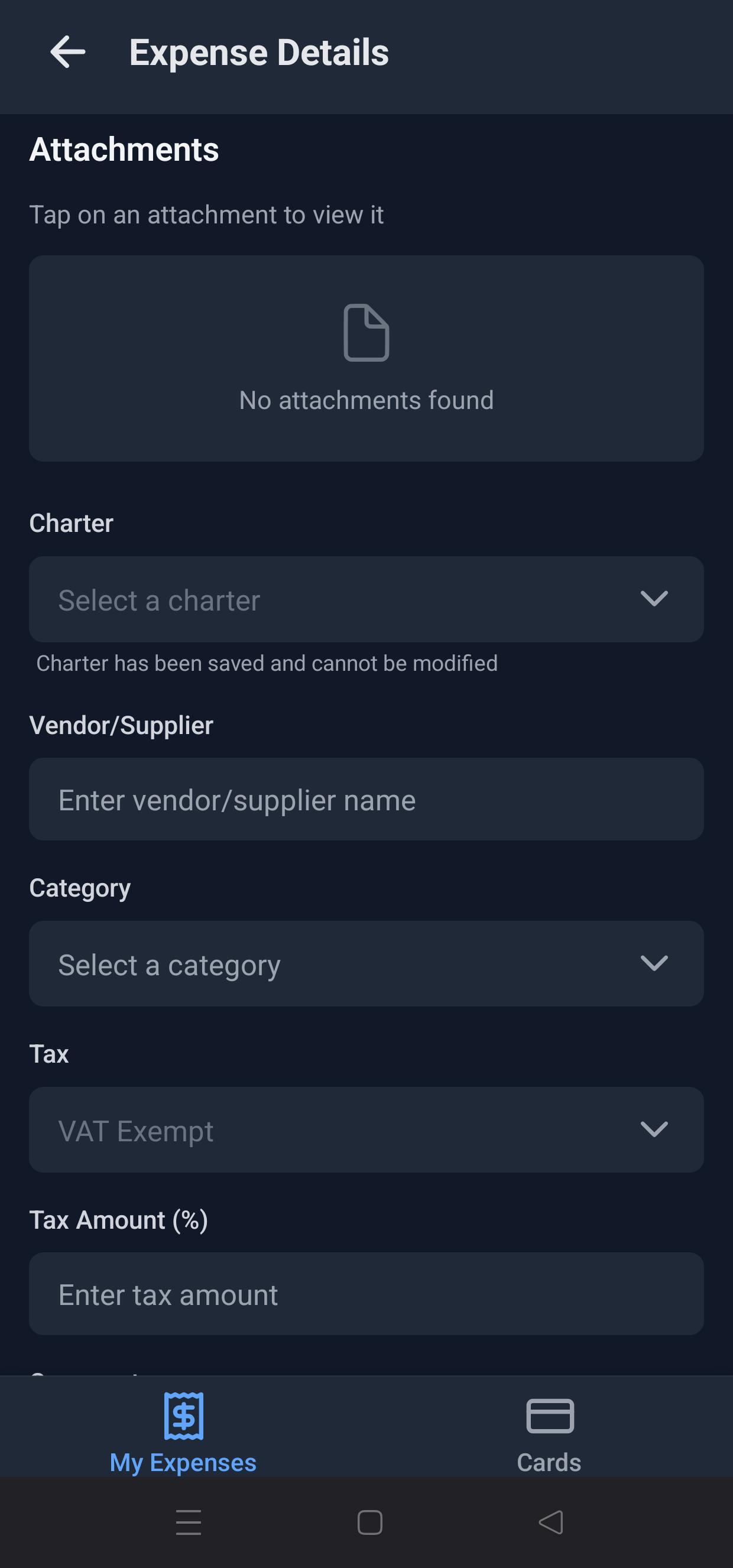
- Once you have added all the information, make sure you save it at the bottom of the screen, and you are done!
Logging a Manual Expense
Sometimes, you need to make a payment through a different method than your AnkorPay Card, and you still want to log it with the rest of the expenses. Let's see how to do this:
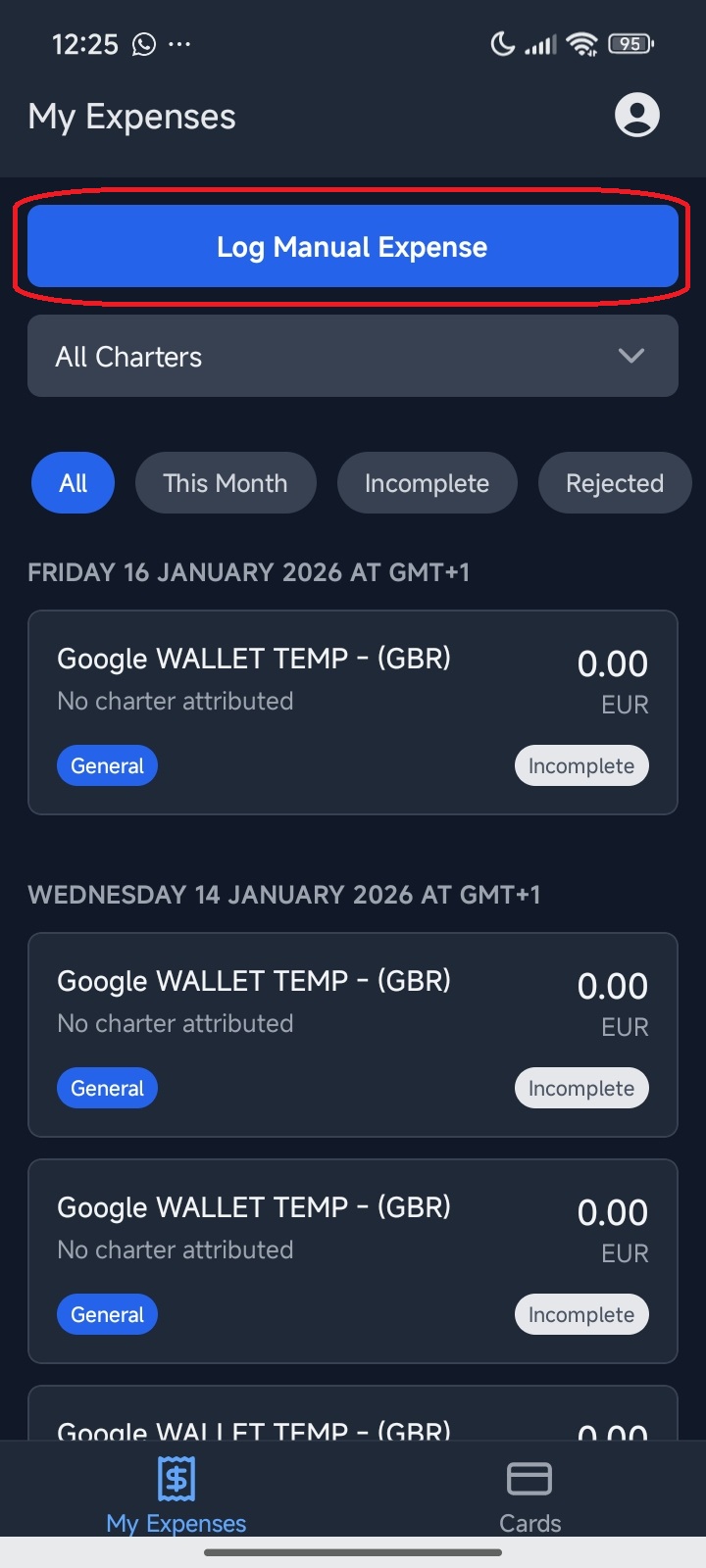
- First, enter the app and click on the Log Manual Expense button.
- Then provide the details of the expense. You can start by uploading a photo of the receipt, and after that select charter, date, supplier and category of expense. For the Payment Method, you can find a reminder of what they are here:

- Finally, select currency, amount of the payment made, and tax amount if applicable. Leave a comment about the expense for clarity and click on Log Manual Expense.
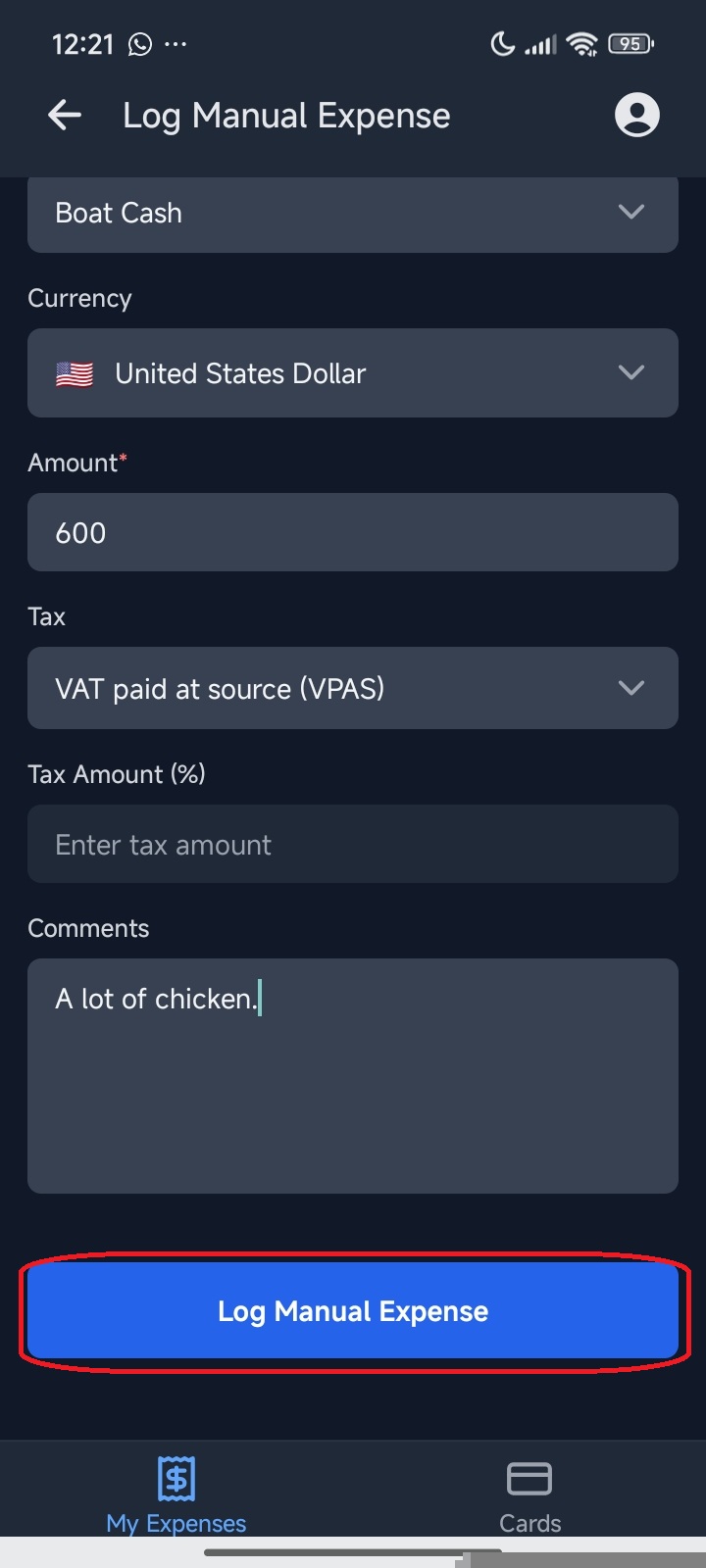
You're done! Now you can see your expense on the App's main screen, and it can also be seen by the admin in your organization on their AnkorPay account.
Still Have Questions? If you still have issues or are unable to login, please reach out to support@ankor.io