
Creating and Managing Categories in AnkorPay
Here is how to create categories for your payments in AnkorPay.
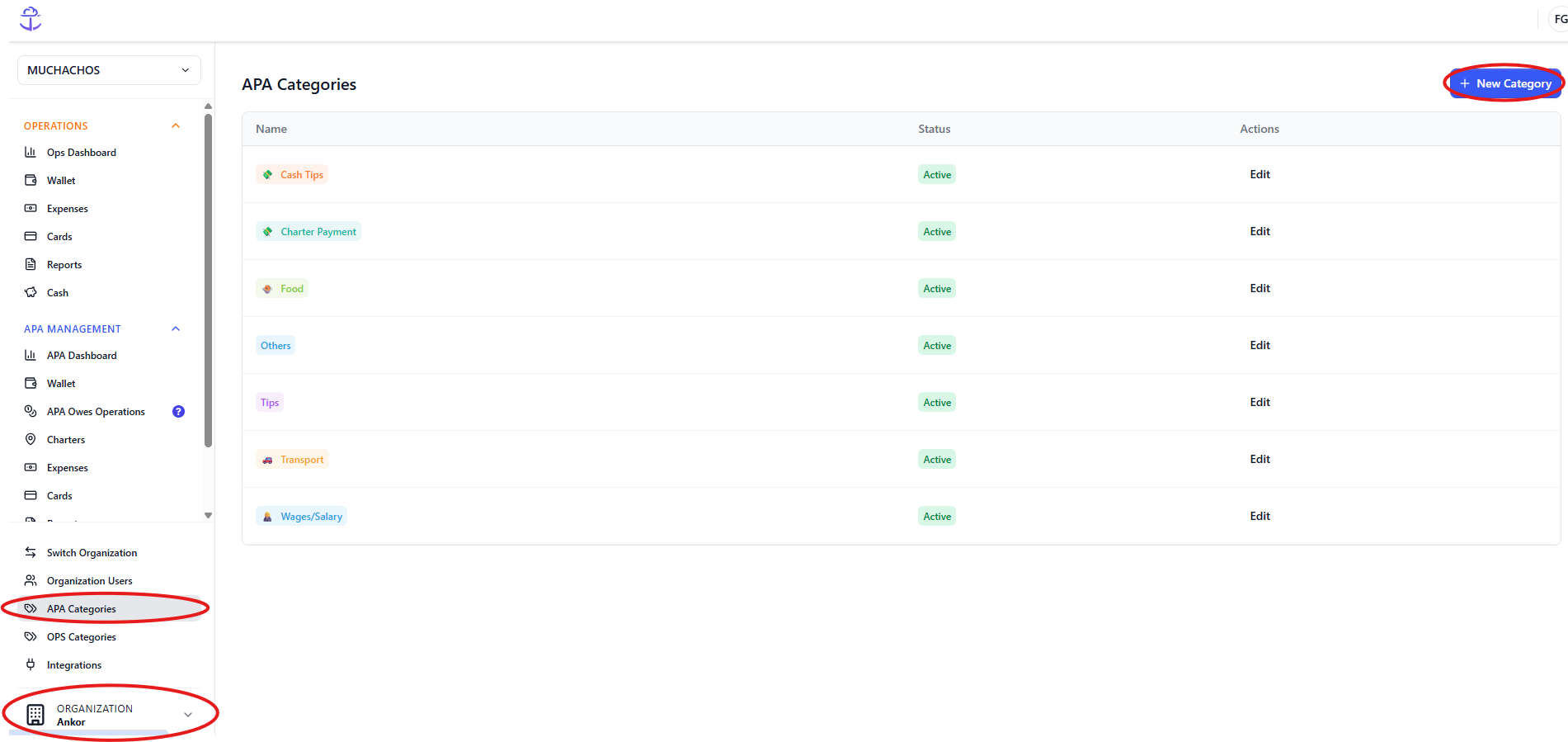
- First, go to the Organization menu (bottom left corner)
- Click on APA Categories (or OPS Categories) if you want to set them up for OPS
- Then click on New Category
- On the pop up window, choose the name of your category, a colour to identify it and an (optional) icon.
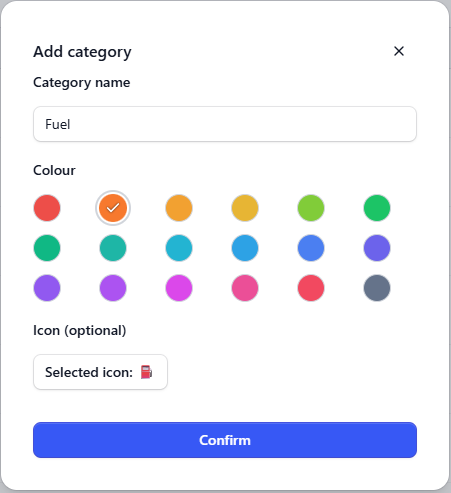
- Click Confirm and that's it! You can now select the category from the drop down menu when you're trying to make a payment.
Remember that categories are just for your own use and records, and you can choose to have many of them if that's convenient for you, or just one in order to be able to process the payment.